
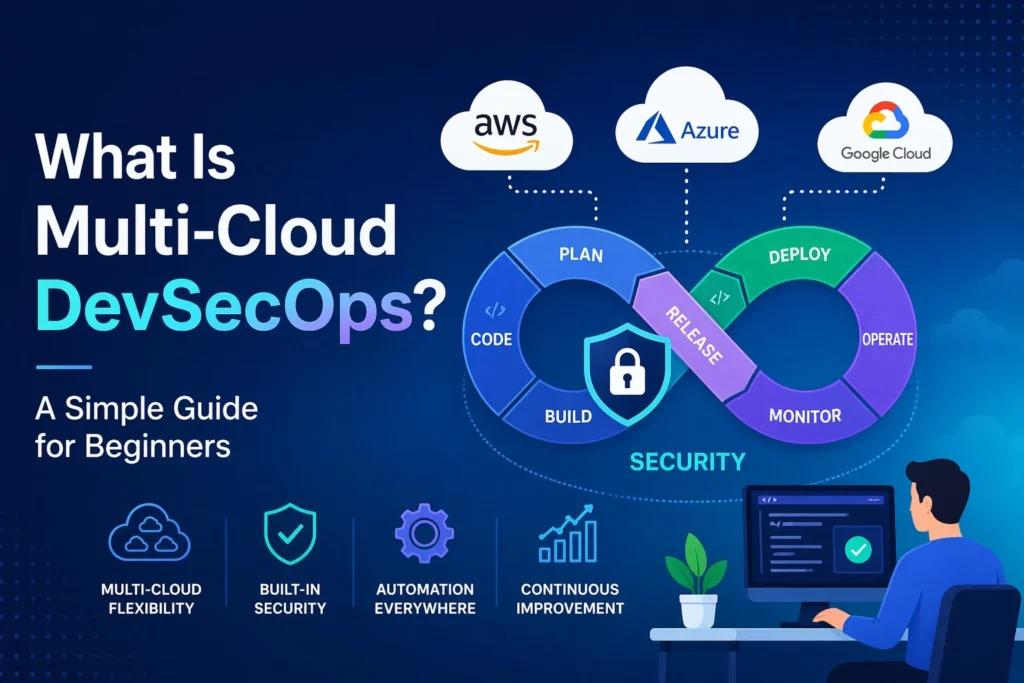
Modern software development is no longer simple. Businesses are deploying applications faster, across multiple cloud platforms, while dealing with increasing security threats. This is where Multi-Cloud DevSecOps comes in.
This guide breaks it down in clear, practical terms so you understand exactly what it is, why it matters, and how to use it.
Understanding the Basics
What Is DevOps?
DevOps is a practice that combines development (Dev) and operations (Ops). The goal is to deliver software faster and more reliably.
Instead of working in silos, teams collaborate, automate processes, and continuously improve systems.
What Is DevSecOps?
DevSecOps adds security (Sec) into DevOps.
Instead of treating security as a final step, it is integrated into every stage of development:
- Code writing
- Testing
- Deployment
- Monitoring
This reduces vulnerabilities early and avoids costly fixes later.
What Is Multi-Cloud?
Multi-cloud means using more than one cloud provider.
For example:
- One app runs on AWS
- Another runs on Azure
- Data is stored on Google Cloud
Companies do this to avoid dependency on a single provider and improve flexibility.
What Is Multi-Cloud DevSecOps?
Simple Definition
Multi-Cloud DevSecOps is the practice of building, securing, and deploying applications across multiple cloud platforms while integrating security into every stage of the DevOps lifecycle.
In simple terms:
Build fast + Deploy anywhere + Secure everything
Why Multi-Cloud DevSecOps Matters
1. Avoid Vendor Lock-In
Relying on one cloud provider is risky. Multi-cloud gives freedom to switch or scale across platforms.
2. Improved Security
Security is built into the pipeline, not added later. This reduces:
- Data breaches
- Misconfigurations
- Compliance risks
3. High Availability
If one cloud fails, another can take over. This ensures uptime and reliability.
4. Better Performance
You can deploy apps closer to users using different cloud regions and providers.
5. Cost Optimization
Different providers offer different pricing. Multi-cloud allows smart cost decisions.
Key Components of Multi-Cloud DevSecOps
1. CI/CD Pipelines
Continuous Integration and Continuous Deployment automate code building, testing, and deployment.
Popular tools:
- Jenkins
- GitHub Actions
- GitLab CI/CD
2. Infrastructure as Code (IaC)
Infrastructure is managed using code.
Tools include:
- Terraform
- AWS CloudFormation
This ensures consistency across clouds.
3. Security Automation
Security checks are automated at every stage:
- Code scanning
- Dependency scanning
- Container security
4. Containerization & Orchestration
Applications are packaged into containers and managed efficiently.
Tools:
- Docker
- Kubernetes
5. Monitoring & Logging
Continuous monitoring ensures performance and security.
Tools:
- Prometheus
- Grafana
- ELK Stack
How Multi-Cloud DevSecOps Works
Step-by-Step Workflow
- Developers write code
- Code is pushed to a repository
- Automated tests and security scans run
- Application is packaged into containers
- Deployment happens across multiple clouds
- Continuous monitoring tracks performance and threats
Everything is automated, secure, and scalable.
Real-World Example
A fintech company builds an application:
- Frontend hosted on AWS
- Backend APIs on Azure
- Data analytics on Google Cloud
Security scans run automatically during development. If a vulnerability is found, deployment stops immediately.
This is Multi-Cloud DevSecOps in action.
Challenges of Multi-Cloud DevSecOps
1. Complexity
Managing multiple cloud environments is not simple. Each platform has its own tools and configurations.
2. Security Consistency
Maintaining uniform security policies across clouds is difficult.
3. Skill Gap
Teams need expertise in:
- DevOps
- Cloud platforms
- Security practices
4. Cost Management
Without proper monitoring, costs can increase quickly.
Best Practices to Follow
1. Automate Everything
Manual processes create delays and errors. Use automation wherever possible.
2. Shift Security Left
Integrate security early in development.
3. Use Centralized Monitoring
Track all cloud environments from one dashboard.
4. Standardize Tools
Avoid using too many tools. Keep your stack consistent.
5. Regular Audits
Conduct frequent security and performance audits.
Popular Tools in Multi-Cloud DevSecOps
DevOps Tools
- Jenkins
- GitLab
- GitHub Actions
Security Tools
- Snyk
- Aqua Security
- Checkmarx
Cloud Platforms
- AWS
- Microsoft Azure
- Google Cloud Platform
Container Tools
- Docker
- Kubernetes
Who Should Learn Multi-Cloud DevSecOps?
This skill is ideal for:
- Software developers
- DevOps engineers
- Cloud engineers
- Cybersecurity professionals
- IT students
If you want a high-demand tech career, this is a strong path.
Career Opportunities
Roles include:
- DevSecOps Engineer
- Cloud Security Engineer
- Site Reliability Engineer (SRE)
- Platform Engineer
Companies are actively hiring professionals with these skills.
Future of Multi-Cloud DevSecOps
The demand is growing fast.
Reasons:
- More cloud adoption
- Rising cybersecurity threats
- Need for faster deployments
AI and automation will further enhance DevSecOps processes.
Frequently Asked Questions (FAQs)
1. Is Multi-Cloud DevSecOps hard to learn?
It depends on your background. If you understand basic programming and cloud concepts, you can learn it step by step.
2. Do I need coding skills?
Yes. Basic coding knowledge is important, especially for automation and scripting.
3. Which cloud should I learn first?
Start with one cloud platform like AWS, then expand to others.
4. Is DevSecOps in demand?
Yes. It is one of the most in-demand skills in the tech industry.
5. What is the difference between DevOps and DevSecOps?
DevOps focuses on speed and collaboration, while DevSecOps adds security throughout the process.
Conclusion
Multi-Cloud DevSecOps is not just a trend. It is becoming a standard in modern software development.
It combines speed, flexibility, and security into one powerful approach.
If you are serious about building a future-proof tech career, this is a skill worth investing in. Start with the basics, learn the tools, and practice with real projects.
That is how you move from beginner to job-ready.