
 (4.5)
(4.5)
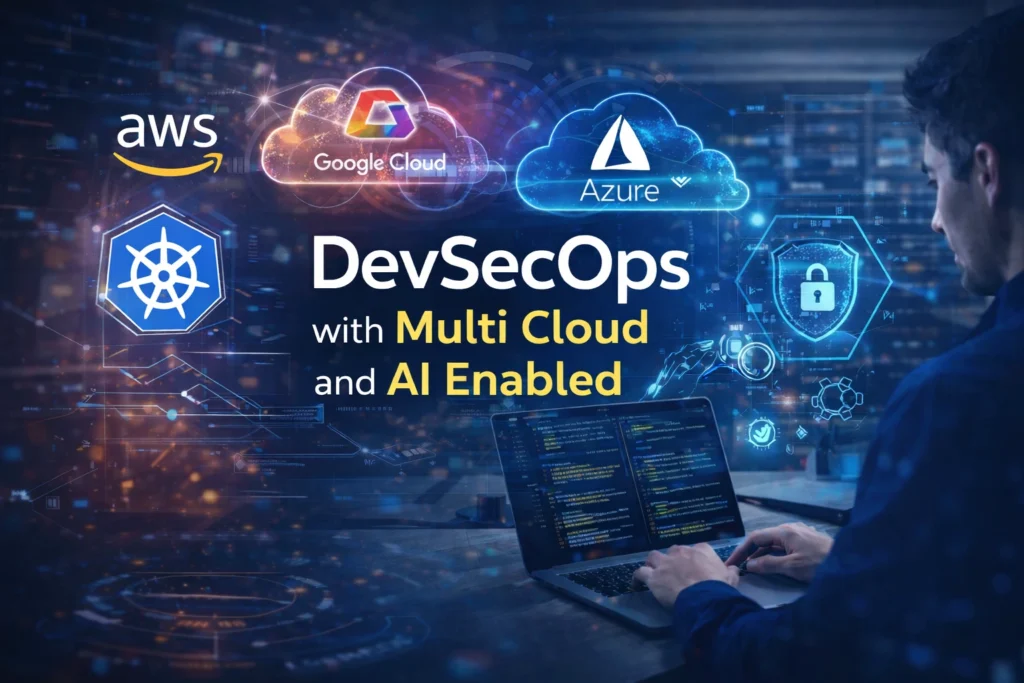
DevSecOps with Multi Cloud and AI Enabled
Course Description
DevSecOps with Multi-Cloud and AI Enabled focuses on building secure, automated, and scalable cloud infrastructure for modern applications.
Learn to design and manage cloud environments across AWS, Azure, and GCP using industry-standard DevOps practices.
Develop expertise in CI/CD pipelines, containerization, infrastructure automation, and cloud security integration.
Implement Docker, Kubernetes, and Terraform to build production-ready cloud platforms.
Apply AI-driven monitoring and observability tools to improve system reliability and operational efficiency.
Why DevSecOps with Multi-Cloud is in High Demand
Cloud Transformation:
Organizations are rapidly migrating applications to cloud platforms requiring skilled cloud automation engineers.
Integrated Security:
Modern development pipelines require security embedded within the development lifecycle.
Automation at Scale:
Infrastructure automation allows organizations to manage complex systems efficiently.
Multi-Cloud Strategy:
Enterprises deploy applications across multiple cloud providers for resilience and flexibility.
The Role of 100% Placement Assistance
While Working to attain mastering AWS DevOps is undeniably exhilarating, it also presents challenges, demanding the acquisition of a distinctive skill set, hands-on experience, and an in-depth understanding of AWS services. It is precisely where the value of 100% placement assistance shines.
Here’s why Greatcoder institute has 100% placement assistance is an indispensable part of an aspiring AWS DevOps professional’s journey:
- Customized Training: Greatcoder institute provides Placement assistance programs begin with tailored training. They equip candidates with the specific skills necessary for AWS DevOps roles, including competence in AWS services and DevOps best practices.
- Effective Resume Building: Crafting a compelling resume is a pivotal step in securing a job in AWS DevOps. Placement assistance programs guide candidates in creating resumes that highlight their skills and experience effectively.
- Interview Preparation: Interview preparation can be intimidating. Mock interviews, a standard feature of placement assistance, allow candidates to refine their interview skills. Valuable feedback from seasoned professionals bolsters confidence.
- Job Placements: The ultimate goal of placement assistance is to secure job placements. These programs often have well-established connections with various companies, facilitating the matching of candidates with job opportunities that align with their skills and career aspirations.
- Post-Placement Support: Placement assistance doesn’t end with securing a job. Many programs offer ongoing support to help individuals adapt to new roles, tackle challenges, and continuously refine their skills.
Curriculum Summary
Module 1: Introduction to DevOps & SDLC
Topics Covered:
- Introduction to DevOps
- Traditional IT vs DevOps
- DevOps Lifecycle
- Benefits of DevOps
- Understanding SDLC (Software Development Life Cycle)
- Phases of SDLC
- Waterfall Model
- Agile Model
- DevOps Culture & Collaboration
- Continuous Integration Concepts
- Continuous Delivery Concepts
- Continuous Deployment Concepts
- DevOps Roles & Responsibilities
- DevOps Best Practices
Practical Sessions:
✔ DevOps Lifecycle Understanding
✔ SDLC Flow Analysis
✔ Real-Time DevOps Workflow Discussion
Module 2: Agile Methodology
Topics Covered:
- Introduction to Agile
- Agile Principles
- Scrum Framework
- Sprint Planning
- Product Backlog
- Scrum Roles
- Product Owner
- Scrum Master
- Development Team
- Daily Standup Meetings
- Sprint Review & Retrospective
- Jira Basics
- Agile vs Waterfall
- Agile Workflow in Real-Time Projects
Practical Sessions:
✔ Agile Workflow Simulation
✔ Sprint Planning Activity
✔ Jira Task Management Basics
Module 3: Git & GitHub
Topics Covered:
- Version Control Concepts
- Centralized vs Distributed Version Control
- Introduction to Git
- Git Installation & Configuration
- Working with Local Repository
- Git Workflow
- Git Commands
- git init
- git clone
- git add
- git commit
- git push
- git pull
- git merge
- git branch
- Branching Strategy
- Merge Conflicts Handling
- Git Stash
- Git Tags
- Introduction to GitHub
- Repository Management
- Pull Requests
- GitHub Collaboration Workflow
- GitHub Best Practices
Practical Sessions:
✔ Git Repository Creation
✔ Branching & Merging
✔ GitHub Project Collaboration
Module 4: Maven Build Tool
Topics Covered:
- Introduction to Build Tools
- Maven Architecture
- Maven Installation & Setup
- Understanding pom.xml
- Maven Lifecycle
- Maven Dependencies
- Maven Repositories
- Build & Packaging
- Maven Plugins
- Unit Testing Basics
- Build Automation Concepts
Practical Sessions:
✔ Java Project Build using Maven
✔ Dependency Management
✔ Packaging Applications
Module 5: Jenkins Automation Server
Topics Covered:
- Introduction to Jenkins
- Jenkins Architecture
- Jenkins Installation & Setup
- Jenkins Dashboard Overview
- Jenkins Jobs & Projects
- Jenkins Plugins
- Freestyle Jobs
- Pipeline as Code
- Jenkinsfile Basics
- Jenkins Integration with GitHub
- Automated Build Process
- Jenkins Security
- Jenkins User Management
- Distributed Builds
- Jenkins Best Practices
Practical Sessions:
✔ Jenkins Installation
✔ Build Automation Setup
✔ Jenkins Pipeline Creation
Module 6: SonarQube Code Quality Management
Topics Covered:
- Introduction to Code Quality
- SonarQube Architecture
- Installing SonarQube
- Static Code Analysis
- Quality Gates
- Bug & Vulnerability Detection
- Code Smell Analysis
- SonarQube Integration with Jenkins
- Security & Quality Best Practices
Practical Sessions:
✔ SonarQube Installation
✔ Code Scanning
✔ Quality Report Analysis
Module 7: Nexus Repository Manager
Topics Covered:
- Introduction to Artifact Management
- Nexus Repository Concepts
- Installing Nexus Repository Manager
- Hosted & Proxy Repositories
- Managing Build Artifacts
- Maven Artifact Storage
- Nexus Integration with Jenkins
- Version Control for Artifacts
- Repository Security & Access Control
Practical Sessions:
✔ Nexus Setup
✔ Artifact Upload & Download
✔ Jenkins-Nexus Integration
Module 8: CI/CD Pipelines
Topics Covered:
- Introduction to CI/CD
- Continuous Integration Workflow
- Continuous Delivery Workflow
- Continuous Deployment Workflow
- Pipeline Automation Concepts
- End-to-End CI/CD Pipeline
- Source Code to Deployment Process
- Automated Build & Testing
- Pipeline Stages
- Environment Management
- Pipeline Monitoring
- CI/CD Best Practices
Practical Sessions:
✔ End-to-End CI/CD Pipeline Setup
✔ Automated Build & Deployment
✔ Real-Time Pipeline Execution
Module 9: AWS DevOps Services
AWS CodePipeline
Topics Covered:
- Introduction to AWS DevOps Services
- AWS CodePipeline Overview
- Pipeline Creation
- Source, Build & Deploy Stages
- Pipeline Automation
- Integration with GitHub & Jenkins
Practical Sessions:
✔ AWS CodePipeline Setup
✔ Automated Deployment Pipeline
Module 10: Deployment Strategies
Blue-Green Deployment
Topics Covered:
- Blue-Green Deployment Concepts
- Zero Downtime Deployment
- Traffic Switching
- Rollback Strategies
- Production Deployment Flow
Practical Sessions:
✔ Blue-Green Deployment Simulation
Canary Deployment
Topics Covered:
- Canary Release Strategy
- Gradual Traffic Routing
- Risk Reduction Techniques
- Monitoring Canary Releases
- Rollback Handling
Practical Sessions:
✔ Canary Deployment Setup
Rolling Deployment
Topics Covered:
- Rolling Update Concepts
- Incremental Deployment
- High Availability Deployment
- Rolling Back Failed Deployments
- Production Deployment Best Practices
Practical Sessions:
✔ Rolling Deployment Activity
Module 11: Build & Infrastructure Automation
Topics Covered:
- Introduction to Automation
- Infrastructure Automation Concepts
- Build Automation Workflow
- Automated Provisioning Concepts
- Environment Setup Automation
- Configuration Management Basics
- Script-Based Automation
- Infrastructure as Code (IaC) Introduction
- Automation Best Practices
Practical Sessions:
✔ Automated Build Setup
✔ Infrastructure Automation Workflow
✔ Environment Provisioning Practice
Module 12: Artifact Management
Topics Covered:
- Artifact Lifecycle
- Artifact Storage Concepts
- Build Versioning
- Repository Management
- Secure Artifact Storage
- Artifact Promotion Process
- Release Management
- Integration with CI/CD Pipelines
Practical Sessions:
✔ Artifact Version Management
✔ Repository Maintenance
- What is Cloud
- Scenario with & without Cloud
- Cloud Computing
- Importance of 2008
- Types of Cloud Computing
- Service Models
- Deployment Models
- Cloud Market
- What is AWS
- Top 10 Cloud Providers
- Difference between AWS, AZURE & GCP
- Advantages of AWS
- Main Roles in Cloud
- AWS Certifications Path
- LINUX INTRODUCTION
- FLAVOURS ON LINUX
- LINUX HISTORY
- LINUX ADVANTAGES
- SYSTEM INFORMATION
- HARDWARE INFORMATION
- FILE COMMANDS
- VIM EDITOR
- USERS
- GROUPS
- FILE PERMISSIONS
- NETWORKING
- COMPRESSION/ARCHIVE
- DISK USAGE
- PACKAGE INSTALLATION
- SCRIPTING
- FHS/DIRECTORY SYSTEM
- LINUX FILTERS
- LINUX MAN PAGES
- SED FILTERS
- GREP FILTERS
- PROJECT
- Elastic Compute Cloud (EC2)
- Virtual Private Cloud (VPC)
- Subnets
- Simple Storage Service (S3)
- AWS Pricing Calculator
- Cross Region Replication (CRR)
- Elastic Block Storage (EBS)
- Identity and Access Management (IAM)
- Command Line Interface (CLI)
- Relational Database Service (RDS)
- Elastic Load Balancer (ELB)
- Static Web Hosting
- Auto Scaling
- Elastic Bean Stalk
- Cloud Front & Global Accelerator
- DNS & Route 53
- RDS
- Azure Virtual Machines
- Azure Virtual Network (VNet)
- Azure Blob Storage
- Azure Blob Storage Geo-Replication (GRS / RA-GRS)
- Azure Managed Disks
- Azure Active Directory (Azure AD) + RBAC
- Azure SQL Database / Azure Database Services
- Azure Load Balancer / Azure Application Gateway
- Azure Static Web Apps / Azure Storage Static Website
- Azure Virtual Machine Scale Sets / Auto scale
- Azure App Service
- Azure CDN
- Azure DNS
- VCS History
- Revision Control System
- Subversion
- Git Stages
- Working Directory
- Staging Area
- Repository (Local, Central, Remote)
- Git Installation
- Git Add
- Git Commit
- Git Status
- Commit a File using Git
- Configuration of User
- Ignoring Content
- GitHub
- Git Repositories (Private & Public)
- Git Push
- Git Pull
- Git Cloning
- Git Branch
- Git Merge
- Git Fork
- Git Repositories (Private & Public)
- Git Stash
- Git Revert
- Git Merge (duplicate – do you want me to remove this?)
- GitHub File Add
- Advantages & Disadvantages
- Interview Questions
- Introduction
- Java Project Structure
- Problems without Maven
- What Maven Does
- What is Build Tool?
- pom.xml File
- Requirements for Build
- Maven Architecture
- Maven Build Life Cycle
- Maven Compile
- Maven Test
- Maven Package
- Maven Deploy
- Maven Clean
- Maven Directory Structure
- Generating WAR File
- Generating JAR File
- Maven vs Ant
- Interview Questions
- INTRODUCTION
- WORKFLOW
- ADVANTAGES
- JENKINS ALTERNATIVES
- MASTER – SLAVE CONCEPT
- JENKINS SETUP
- JAVA INSTALLATION
- GIT INTEGRATION
- MAVEN INTEGRATION
- JOBS IN JENKINS
- MAVEN JOB, TASK
- PARAMETER BUILDING
- CHOICE PARAMETER
- FILE PARAMETER
- BRANCH BUILDING
- SCHEDULE PROJECT
- CRON SYNTAXES
- WEBHOOKS
- POLL SCM
- LINKED PROJECTS
- UP STREAM
- DOWN STREAM
- PIPELINES WORKFLOW
- DECLARATIVE PIPELINE
- DISABLING THE PROJECT
- CONSOLE OUTPUT VIEWS
- SHELL EXECUTING
- PLUGIN MANAGEMENT
- PERMALINKS
- PIPELINES
- JENKINS FILE
- JENKINS PIPELINE COMPONENTS
- PIPELINE VIEW
- SCRIPTED PIPELINE
- DECLARATIVE PIPELINE
- HELLO WORLD PIPELINE
- INTEGRATION PIPELINE
- PERMALINKS
- EDITING BUILD INFO
- LABELS
- Maven vs Ant
- USER MANAGEMENT
- INTERVIEW QUESTION
- INTRODUCTION
- LEVEL VIRTUALIZATION
- DOCKER ARCHITECTURE
- DOCKER COMPONENTS
- DOCKER COMMANDS
- BUILD IMAGE FROM CONTAINER
- CREATING CUSTOM IMAGES
- DOCKER FILE
- DOCKER FILE COMPONENTS
- DOCKER FILE CREATION
- DOCKER VOLUMES
- USES OF VOLUMES
- CREATING VOLUMES
- CREATING VOLUMES BY USING COMMANDS
- VOLUMES (CONTAINER – CONTAINER)
- VOLUMES (HOST – CONTAINER)
- CREATING A VOLUME FROM FILE
- DOCKER PORT MAPPING
- CONNECTING JENKINS DASHBOARD
- DOCKER HUB
- DOCKER PUSH
- DOCKER PULL
- DOCKER LOGIN
- SOME ADVANCE COMMANDS
- DOCKER SWARM INTRODUCTION
- DOCKER SWARM ARCHITECTURE
- DOCKER SWARM COMPONENTS
- DOCKER SWARM MANAGER NODES
- DOCKER SWARM WORKER NODES
- CREATING A SERVICE
- DOCKER SWARM VS K8S
- INTERVIEW QUESTIONS
- HISTORY
- WHY PROMETHEUS
- FEATURES
- PHASES OF MONITORING
- PROMETHEUS ARCHITECTURE
- HOW IT WORKS
- PREREQUISITES
- DASHBOARD OVERVIEW
- INSTALLATION OF PROMETHEUS
- INTEGRATION WITH NODE
- PROM QL
- INTEGRATION WITH ALERTMANAGER
- INTERVIEW QUESTIONS
- WHY GRAFANA
- FEATURES
- GRAFANA INSTALLATION
- GRAFANA INTEGRATION WITH PROMETHEUS
- HOW IT WORKS
- PREREQUISITES
- HISTORY
- ADVANTAGES & DISADVANTAGES
- ANSIBLE WORKFLOW
- CHEF WORKFLOW
- ANSIBLE INVENTORY HOST PATTERN
- HOST PATTERNS
- Ad-Hoc COMMANDS
- ANSIBLE MODULES
- PLAYBOOKS
- YAML
- VARIABLES
- HANDLERS
- LOOPS
- CONDITIONS
- VAULT
- ROLES
- GALAXY
- ANSIBLE TAGS
- ANALYSIS WITH DIFFERENT TOOLS
- INTERVIEW QUESTIONS
- HISTORY
- ONLINE PLATFORM FOR K8s
- CLOUD BASED K8s
- INSTALLATION TOOLS
- CONTAINER SCALE-UP PROBLEMS
- FEATURES
- DOCKER SWARM Vs K8s
- ARCHITECTURE
- MASTER COMPONENTS
- NODE COMPONENTS
- WORKING WITH K8s
- ROLE OF MASTER
- COMPONENTS OF CONTROL PLANE
- KUBE-API SERVER
- ETDC
- FEATURES
- KUBE-SCHEDULER
- CONTROL MANAGER
- NODE COMPONENTS
- KUBELET
- CONTAINER ENGINE
- KUBE-PROXY
- POD
- MULTI CONTAINER POD
- LIMITATIONS
- HIGHER LEVEL K8s OBJECTS
- IMPORTANT NOTATIONS
- WORKING
- MINIKUBE INSTALLATION
- KUBECTL INSTALLATION
- DEPLOYING AN APP
- REPLICATION CONTROLLER
- SERVICE
- DEPLOYMENT
- VOLUMES
- INTERVIEW QUESTIONS
Student Reviews
★★★★★ Excellent course with practical projects.